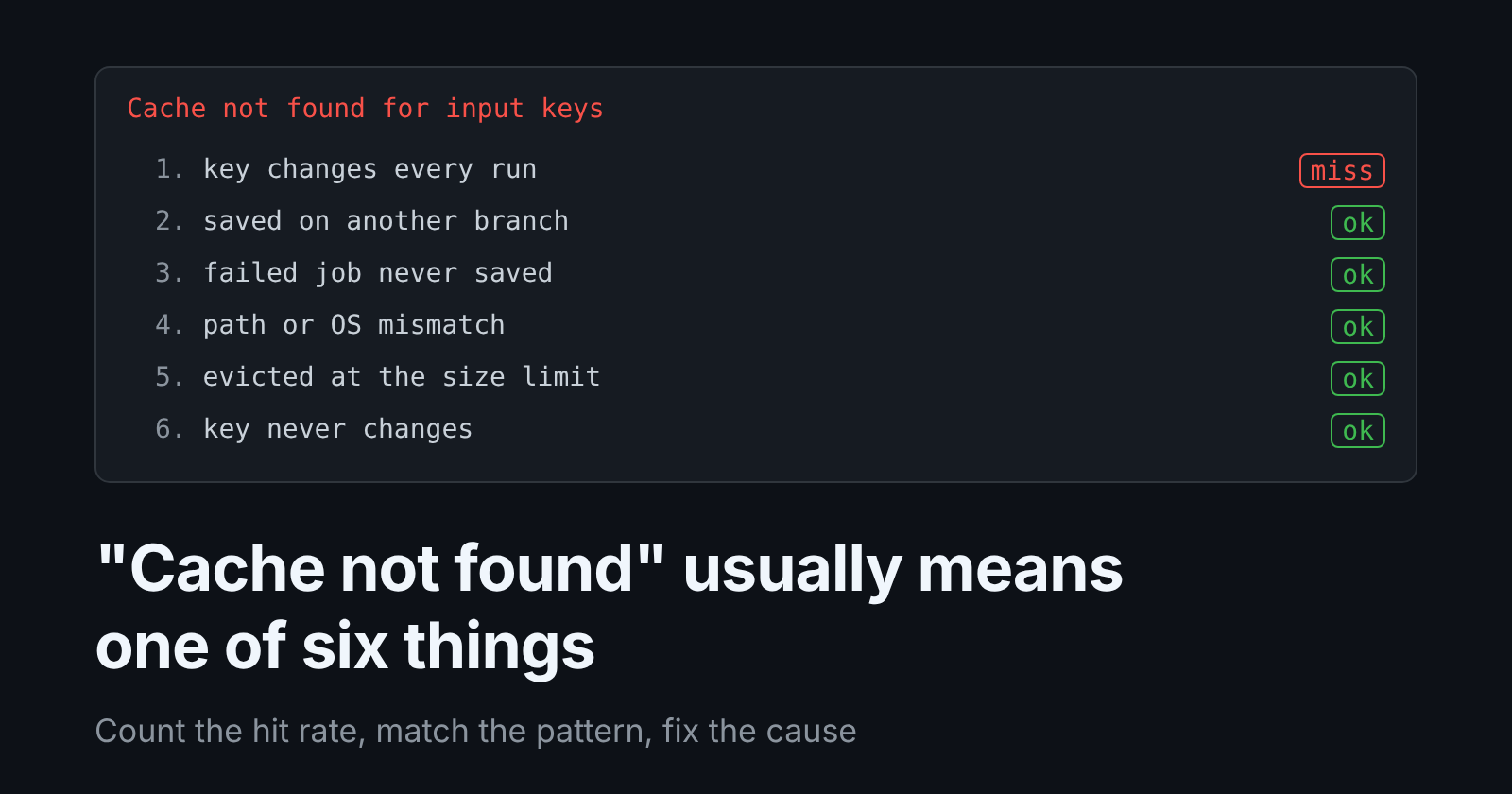
A cache step that logs Cache not found for input keys, or restores and still leaves the install step slow, is failing for a specific reason. There are six usual ones, and the run logs tell you which.
This walks through it in order: read what the log says, count the hit rate, match the pattern to a cause, and fix it. Everything below was checked against the GitHub docs and the actions/cache source (v6.1.0) on November 26, 2026.
Read the log first
The cache step prints one of three lines:
Cache restored from key: Linux-npm-3f1c...
Cache not found for input keys: Linux-npm-3f1c..., Linux-npm-
Cache hit occurred on the primary key Linux-npm-3f1c..., not saving cache.
"Restored" means something matched, but not necessarily the entry you wanted. "Not found" means nothing matched. "Cache hit occurred" shows up in the post-job save step, and only after an exact match.
The cache-hit output has three states, not two:
| What happened | cache-hit |
|---|---|
Exact match on key |
true |
Matched a restore-keys prefix |
false |
| Nothing matched | not set (empty) |
Watch out: a condition like
if: steps.cache.outputs.cache-hit == 'false'skips the install on a full miss, because the output is empty. Compare against'true'instead.
Count the hit rate
One miss tells you little. Count outcomes over the last 30 runs of a workflow on main:
p='Cache restored from key'
p+='|Cache not found for input keys'
p+='|Cache hit occurred on the primary key'
p+='|Cache saved with key'

for id in $(gh run list --workflow ci.yml --branch main \
              --limit 30 --json databaseId \
              --jq '.[].databaseId'); do
  gh run view "$id" --log
done | grep -oE "$p" | sort | uniq -c
"Cache hit occurred" is an exact hit, logged by the save step when it skips saving. "Restored" counts every restore, so subtract the exact hits to get the partial ones. "Not found" is a full miss. "Saved" means a new entry was written, which only happens after a partial hit or a miss.
You don't need a benchmark to judge this. On main, with a lockfile that rarely changes, almost every run should be an exact hit, and saves should appear only on runs where the lockfile changed. Anything else is a pattern, and the table further down maps each pattern to its cause.
The save step doesn't run when a job fails, so an exact hit in a failed run shows up only as "restored". Count per workflow, too, so one bad key isn't hidden in a repo-wide number.
How a match is chosen
GitHub tries, in order: an exact match on key, a prefix match on key, then each restore-keys line as a prefix. It does this on the current branch, then again on the default branch. Pull requests also check their base branch.
Runs can't restore caches from sibling or child branches. Caches a pull request saves are scoped to its merge ref, so only re-runs of that PR see them. And every entry has a version built from its path list and the compression tool, so the same key with a different path is a different cache.
Match the pattern to the cause
| What you see | Likely cause |
|---|---|
| The key differs between runs, the lockfile didn't change | 1. The key changes every run |
| First run of each PR misses, re-runs hit | 2. Cache only saved on another branch |
| Misses follow failed runs, no "Cache saved with key" | 3. Failed jobs never save |
Started after a path change, or only Windows misses |
4. Path or OS mismatch |
| The entry is gone, repo cache usage near the limit | 5. Eviction |
| A save on nearly every run | 1. The key changes every run |
| Exact hits, but the install still downloads most packages | 6. The key never changes |
Fix the cause
1. The key changes every run
The key includes something that's new on every run or commit, such as github.sha, github.run_id or a date, or hashes a broad glob like **/*.json that most commits touch.
# Misses on every commit
key: ${{ runner.os }}-build-${{ github.sha }}
Hash only the lockfile, for example hashFiles('**/package-lock.json'), and keep per-run values out of the key.
2. The cache only exists on another branch
If the workflow runs only on pull_request, every PR saves to its own merge ref and the next PR starts cold. Also run it on push to the default branch, so there's always an entry to fall back on:
on:
  push:
    branches: [main]
  pull_request:
3. Failed jobs never save
The save step only runs when the job succeeds (post-if: success() in the action), so flaky tests can stop a cache from ever being written. Split restore and save, and save right after the install:
- uses: actions/cache/restore@v6
  id: cache
  with:
    path: ~/.npm
    key: ${{ runner.os }}-npm-${{ hashFiles('package-lock.json') }}
- run: npm ci
- uses: actions/cache/save@v6
  if: always() && steps.cache.outputs.cache-hit != 'true'
  with:
    path: ~/.npm
    key: ${{ steps.cache.outputs.cache-primary-key }}
- run: npm test
4. Path or OS mismatch
Keep path identical in every step that uses the key, since it's part of the version. Start the key with ${{ runner.os }}, plus the architecture if you build on both. Caches saved on Windows don't restore elsewhere, or the other way round, unless you set enableCrossOsArchive: true.
5. Eviction
GitHub deletes entries unused for 7 days, and evicts the least recently used ones once a repository passes its cache limit, 10 GB by default. Cache less (~/.npm rather than node_modules), delete caches nobody restores, or raise the limit, which repository admins and organization and enterprise owners can now do. Some runner providers run their own cache backend. WarpBuild's is a drop-in for actions/cache with no size cap, but it doesn't work on Windows runners.
6. The key never changes
An exact hit skips the save, so a key that stays fixed while the contents change restores the same old entry forever. Tie the key to the lockfile and put the broad fallback in restore-keys.
For the common package managers, let the setup action do it: actions/setup-node with cache: npm, actions/setup-python with cache: pip (it keys on requirements.txt or pyproject.toml, so set cache-dependency-path for other files), and gradle/actions/setup-gradle, which manages its own cache. Don't stack an actions/cache step for ~/.gradle, or setup-java with cache: gradle, on top of the Gradle one.
When the cache isn't the problem
If the cache hits and the step is still slow, the entry may simply be too big: a multi-gigabyte archive can take as long to download and unpack as a fresh install. Cache the package manager's download cache instead of the installed tree, or split one huge entry into smaller ones. A large matrix saving at once can also hit GitHub's limit of 200 cache uploads per minute per repository.
What to check
- The key hashes only the lockfile and starts with
runner.os pathis the same everywhere the key is used- The workflow runs on
pushto the default branch - The save step runs even when tests fail
if:conditions compare against'true'- Repository cache usage is well under the limit
- The hit rate is counted per workflow, from the logs
Comments
Join the discussionNo comments yet. Be the first to comment.